Fees & accounts
Every rupee billed, received and accounted for.
Fee structures, concessions, payments with receipts, dues and collection reports.
Set the fees for each class, bill every student, take payments with numbered receipts, chase overdue fees and see where the money stands. Parents and students see their own fees.
Where to find it: Operations → Finance. Parents and students: My Fees.
Who uses it
Roles
- SuperAdmin and Principal and the Accountant set fees, bill, collect and report.
- Only SuperAdmin and Principal can cancel a payment.
- Parents and students see bills, payments and receipts for their own child.
What you can do
Today · live
- Setup: a fee structure per class and student category (General, SC/ST, staff ward…), paid annually, quarterly or monthly, with the due day and fee heads (tuition, exam, transport…). Mark heads such as admission as one-time.
- Late fee: a flat amount or a percentage of the bill, after a number of grace days.
- Generate dues to bill every student; run it again after a change and unpaid bills are refreshed.
- Concessions per student: sibling, scholarship, staff ward or other, as a percentage of every bill or an amount off the year.
- Collect: open a student, take a payment (cash, cheque, online, UPI, card) and print the receipt.
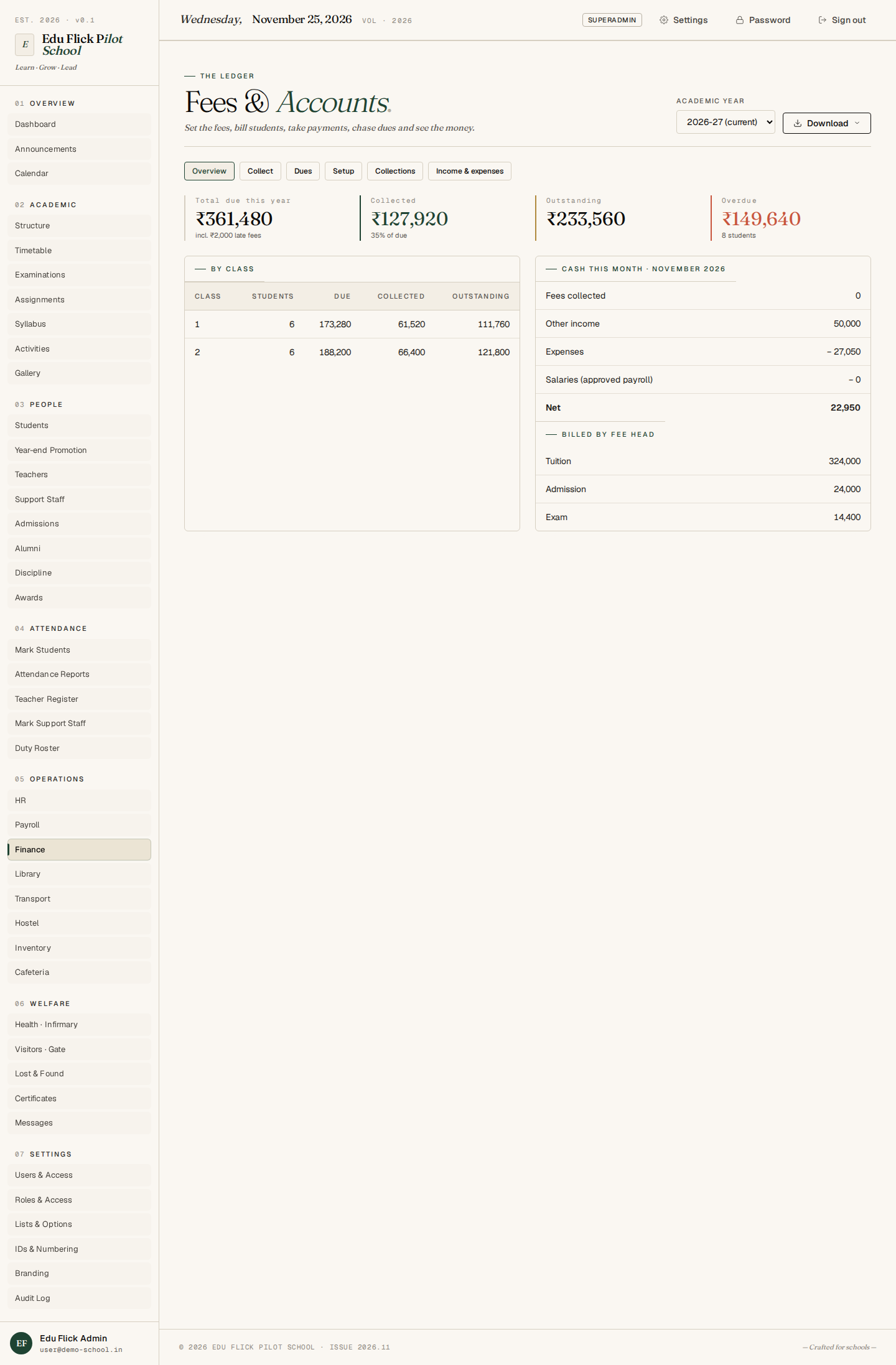
- Dues: students with overdue fees, late fees included. Collections: money received by mode and by day. Overview: due, collected, outstanding and overdue by class and fee head, plus this month's cash.
- Income & expenses: record other money in and out (grants, electricity, repairs…).
How to
Set up and bill
- Finance → Setup → New structure. Pick the class, category and schedule, add the fee heads with yearly amounts, and set the late fee.
- Save, then click Generate / refresh dues.
Take a payment
- Finance → Collect, find the student.
- Enter the amount (or use the "overdue" / "all" shortcut), the mode and the cheque or transaction number.
- Click Record & receipt. The receipt PDF downloads.
With screenshots, and how to cancel a wrong payment: Collect a fee and print the receipt.
Good to know
Rules the system applies
- Receipt numbers run in order per school (RCT-2026-0001…) and are never reused or edited.
- A payment can't be more than what is due; it settles the oldest bills first.
- A late fee applies once the due date plus grace has passed, unless the bill was fully paid by then. It is a one-off charge, not daily.
- A mistaken payment is cancelled with a reason, never edited; the bill reopens.
- Bills that already have payments are never changed by re-billing.
- Totals always balance: collected + outstanding = total due.