Inventory
Stock that matches the shelf.
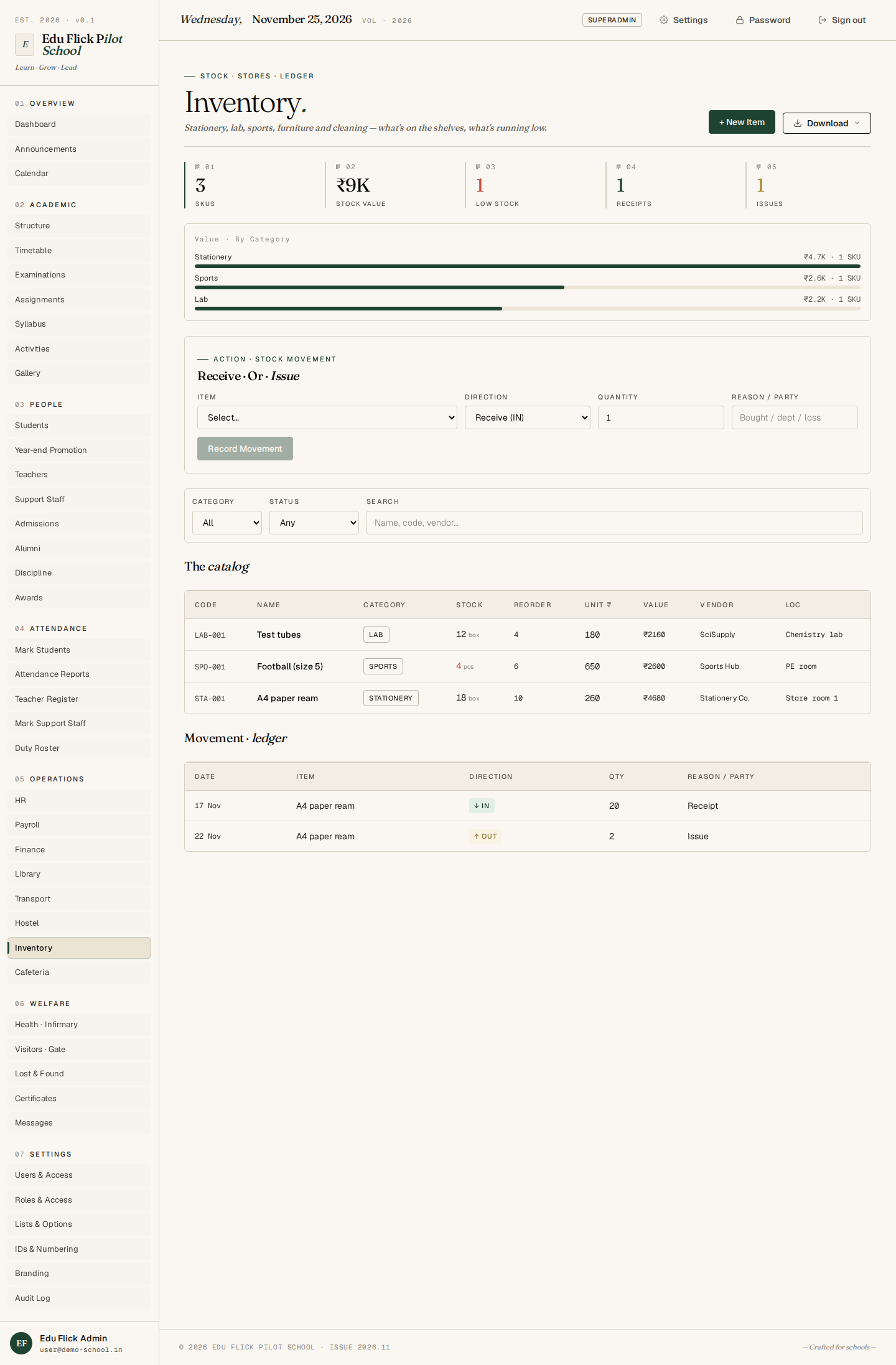
Items, receipts and issues, with low-stock warnings.
The school store: what you have, what came in, what went out and what is running low.
Where to find it: Operations → Inventory.
Who uses it
Roles
- SuperAdmin, Principal, HR and Accountant.
What you can do
Today · live
- Add items: name, category, unit, opening stock, minimum stock, unit cost, vendor and location.
- Record stock movements: IN (received) and OUT (issued) with quantity, reason and party.
- See low-stock items and the movement history.
How to
Issue stock
- Under Record movement, pick the item, choose OUT, enter the quantity and reason, and save.
Good to know
Rules the system applies
- Item codes are generated from the category (STA-001…) unless you type your own; codes are unique.
- Stock changes only through movements, and you can't issue more than is in stock.
- Movements are a ledger: they are not edited; record a correcting movement instead.