Payroll
Salaries run in one click, slips nobody can quietly change.
Salary structures, unpaid-leave deductions, approval, and slips teachers download themselves.
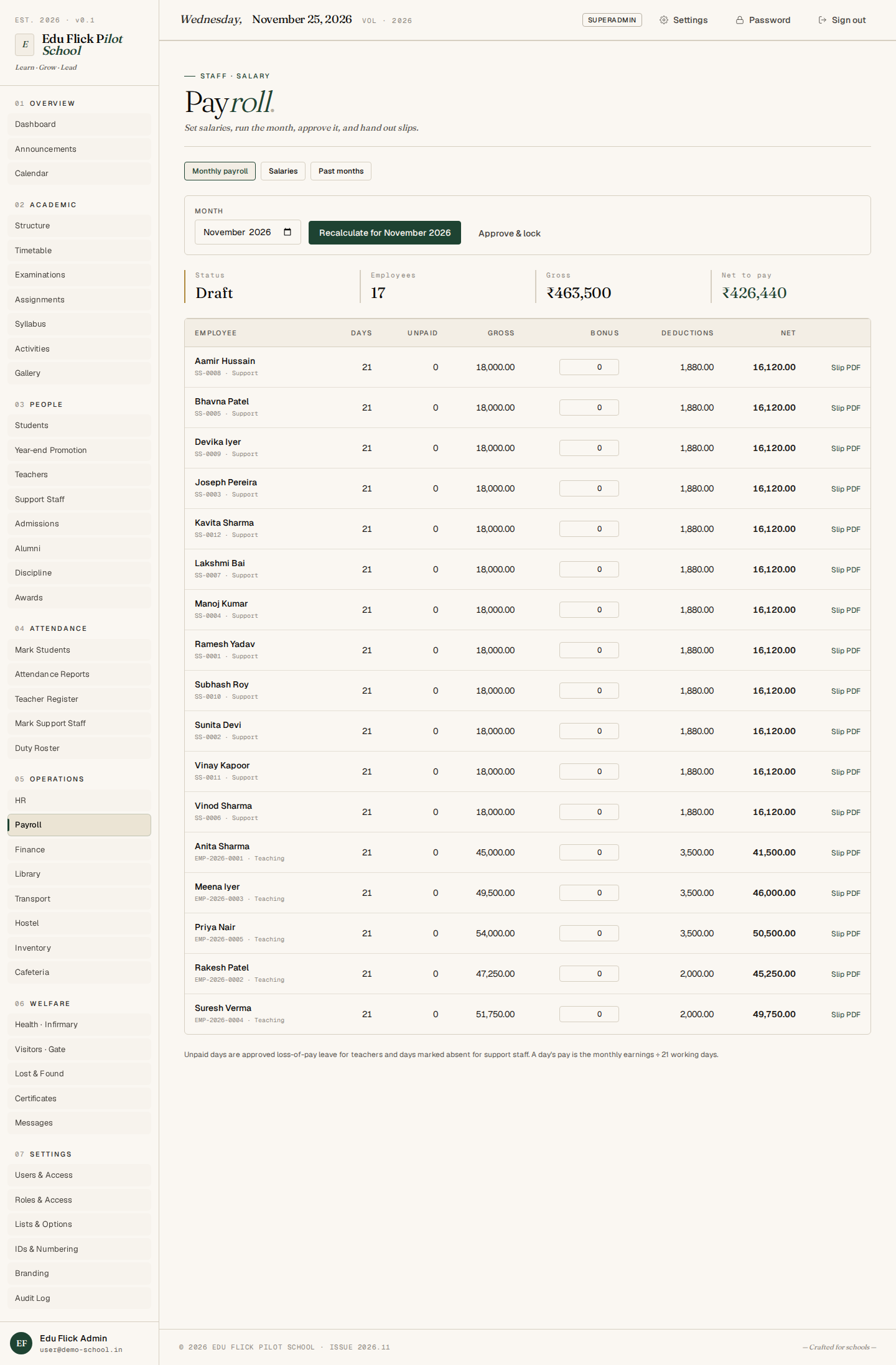
Monthly payroll for teachers and support staff. HR sets salaries, runs the month, adds bonuses, and approves. Approved months are locked and staff get PDF salary slips.
Where to find it: Operations → Payroll. Teachers: Attendance → My Payslips.
Who uses it
Roles
- HR, Principal and SuperAdmin set salaries, run, adjust and approve payroll.
- The accountant can view payroll and slips.
- Only a SuperAdmin can reopen an approved month.
- Teachers see and download their own slips from approved months.
What you can do
Today · live
- Set each employee's salary: basic, HRA, DA and special allowance; deductions for PF, professional tax, TDS and loan EMI. A change takes effect from the 1st of a month and the old version is kept.
- Run payroll for a month: every active teacher and support-staff member with a salary gets a slip.
- Add a bonus to any slip while the month is a draft; recalculating keeps it.
- Approve and lock the month, then download PDF slips.
- Browse past months with totals.
How to
Run a month
- Open Payroll → Salaries and make sure everyone has a salary (anyone missing is listed when you run).
- On Monthly payroll pick the month and click Run payroll.
- Check the slips; add bonuses where needed.
- Click Approve & lock. Teachers can now see their slips.
With screenshots: Run monthly payroll.
Good to know
Rules the system applies
- Working days come from the calendar (Sundays, holidays and vacations excluded).
- Unpaid days are approved loss-of-pay leave for teachers, and days marked absent (½ for a half day) for support staff.
- A day's pay = (basic + HRA + DA + special) ÷ working days. Net pay = earnings + bonus − PF − professional tax − TDS − EMI − unpaid days.
- Amounts are rounded to the paisa.
- Approved months can't be edited or recalculated. A SuperAdmin can reopen one, with a reason, and it is recorded in the audit log.