Post an announcement
Who: Principal, SuperAdmin. Everyone else can read announcements. Where: Overview → Announcements
- Open Overview → Announcements and press New Announcement.
- Fill in Title and Message.
- Pick a Type: General, Holiday, Event, Exam or Emergency.
- Optional: set Expires so the notice disappears after a date.
- Under Target Roles, tick who should see it (for example Parent and Student). Leave all unticked to show it to all users.
- Press Publish. It appears at once for the chosen roles.
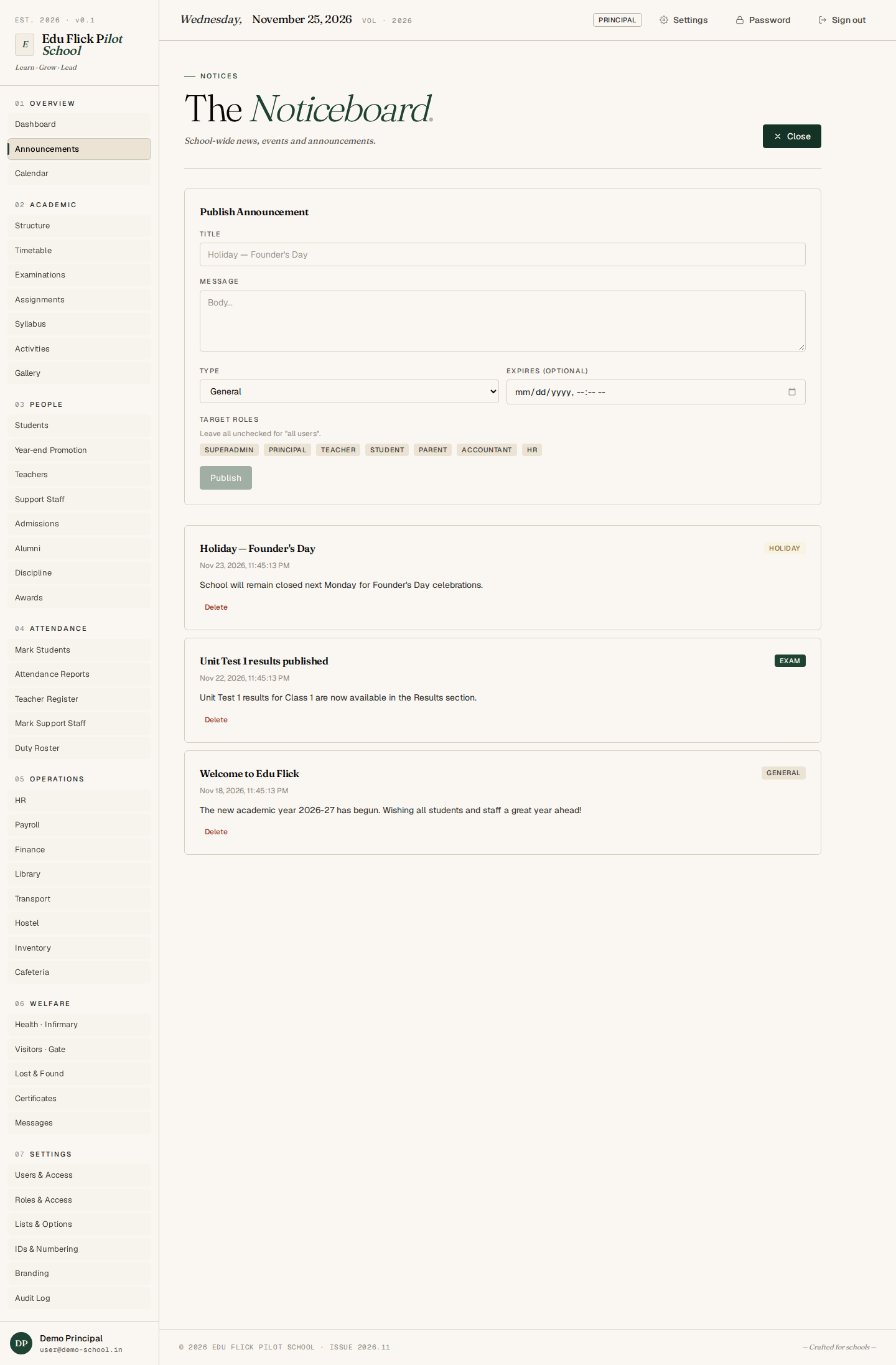
To take a notice down, press Delete on it.
Note
Announcements show inside Edu Flick. SMS, e-mail and WhatsApp delivery are coming soon.
More: Announcements.