Hostel
Rooms, residents and the mess menu.
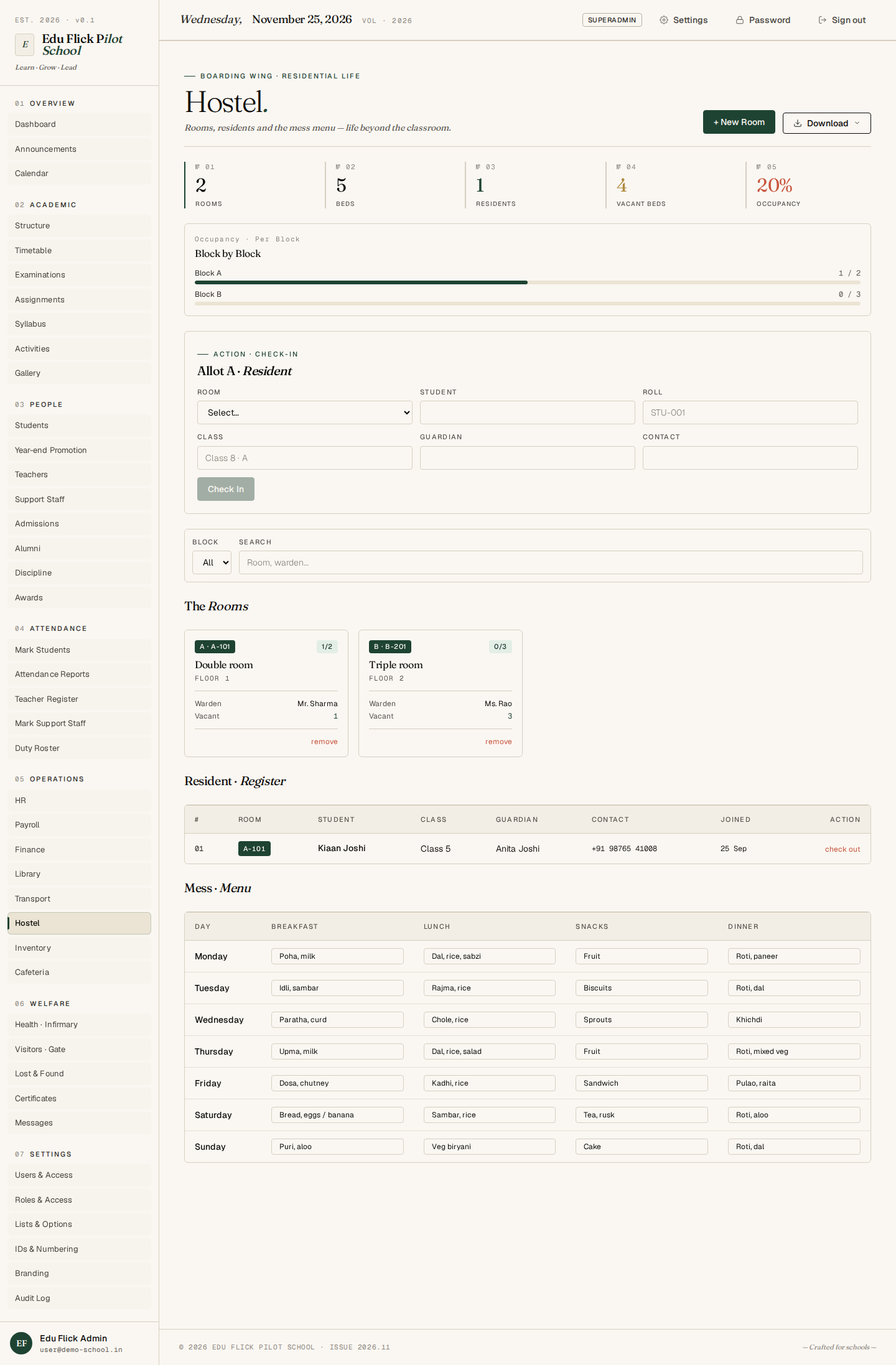
Room allocation with live occupancy and a weekly mess menu.
Manage boarding: rooms, who lives where, and what the mess serves each day.
Where to find it: Operations → Hostel.
Who uses it
Roles
- SuperAdmin, Principal, HR and Accountant.
What you can do
Today · live
- Add rooms: number, block, floor, type (single to quad), capacity and warden.
- Check students in (room, guardian, contact) and out.
- Edit the mess menu for each weekday: breakfast, lunch, snacks, dinner.
- See occupancy per room and block.
How to
Check a student in
- Under Allot, choose a room that has space, enter the student and guardian details, click Check In.
Good to know
Rules the system applies
- Occupancy is counted from residents, so it can't drift.
- A full room refuses another resident; capacity can't be set below the current residents.
- Room numbers are unique; removing a room checks its residents out.