HR desk
Leave and hiring, on one desk.
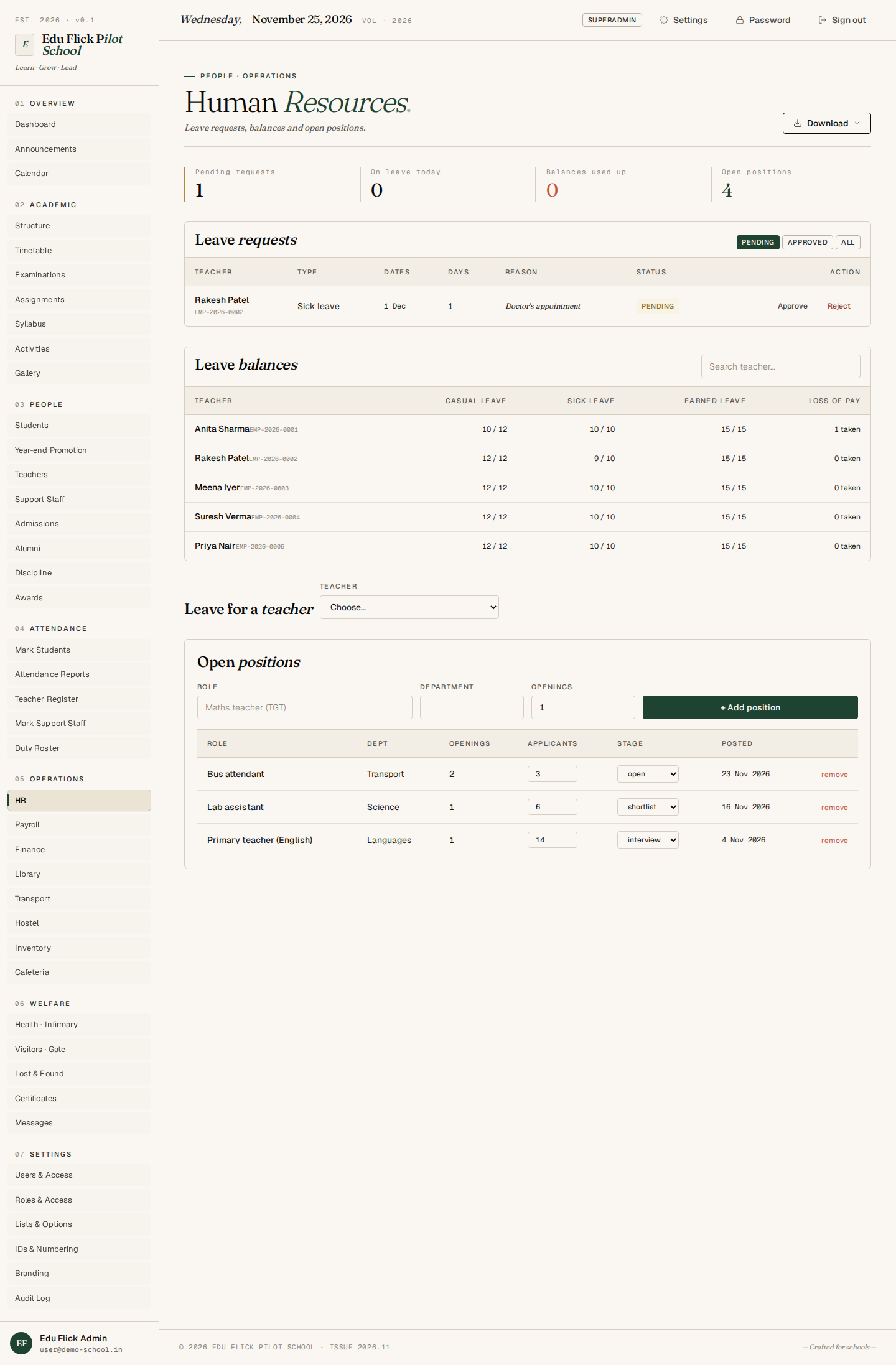
Every leave request and balance, plus the school's open positions.
The HR page brings together staff leave and recruitment.
Where to find it: Operations → HR.
Who uses it
Roles
- HR, Principal and SuperAdmin. Only SuperAdmin and Principal approve or reject leave.
What you can do
Today · live
- Leave requests from every teacher, filtered pending / approved / all, with approve and reject.
- Leave balances for every teacher by leave type, with search.
- Apply for leave on a teacher's behalf.
- Open positions: role, department, openings, applicants and hiring stage (open, shortlist, interview, offer, closed).
- Download the leave register as CSV or print it.
How to
Track a vacancy
- Under Open positions enter the role, department and number of openings, then Add.
- Update the applicant count and move the stage as hiring progresses.
Good to know
Rules the system applies
- Balances follow the leave types and days per year set in Settings → Lists & options.
- See also: Staff leave and Payroll.