Mark today's attendance
Who: Teacher, Principal, SuperAdmin. · Where: Attendance → Mark Students
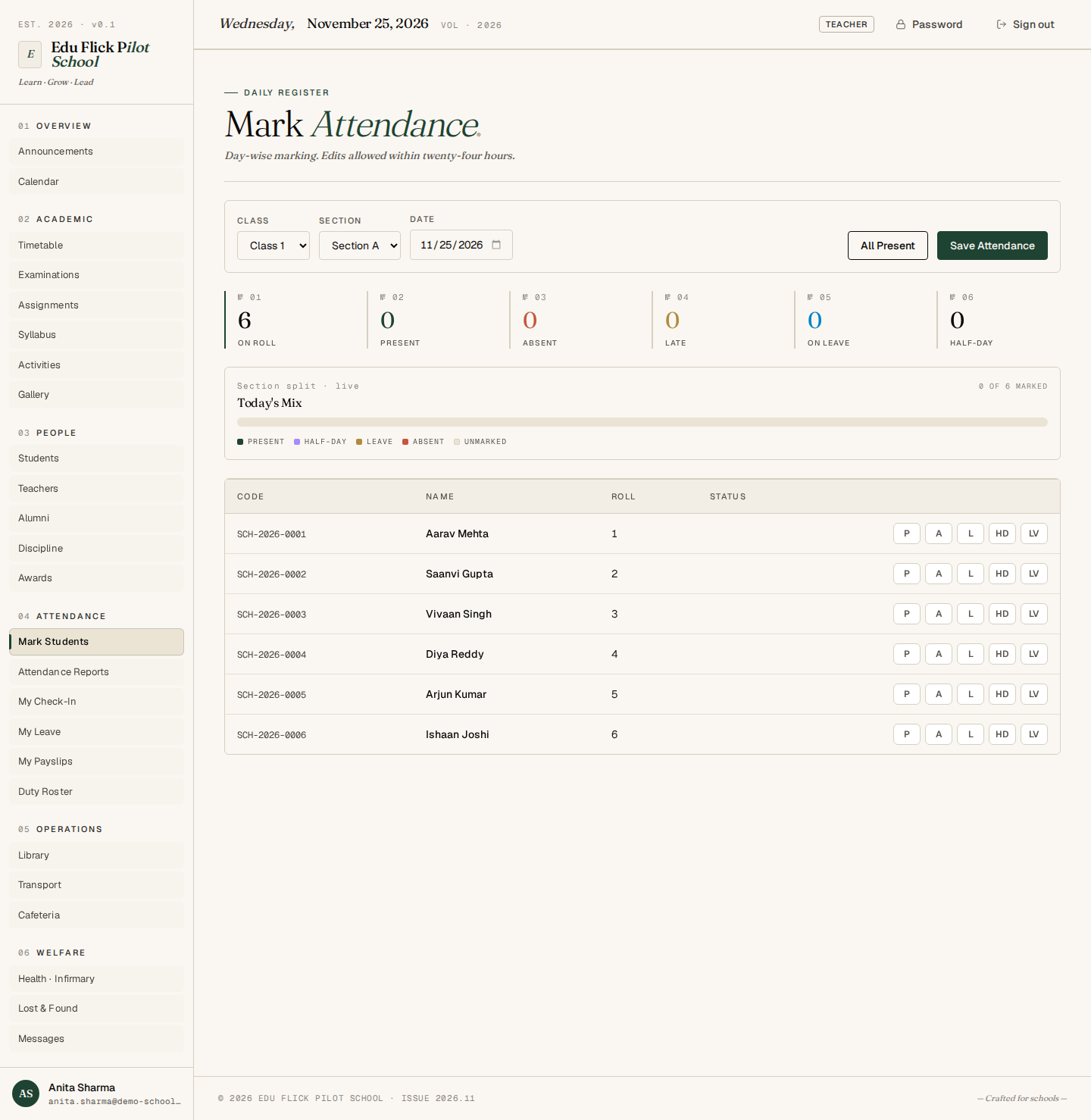
- Open Attendance → Mark Students.
- Choose the Class and Section. The date is today; change Date only to fill in a day you missed.
- The students of the section appear. Press All Present to mark everyone present, then
change the students who are not:
- P present · A absent · L late (counts as present) · HD half day · LV on leave (left out of the attendance %).
- Check the counters at the top (on roll, present, absent, late, on leave, half day).
- Press Save Attendance.
Good to know
- You can change a day's marks for 24 hours. After that only a Principal or SuperAdmin can correct them.
- Monthly summaries per student are on Attendance → Attendance Reports (Export CSV).
- Parents see the result under My Attendance.
More: Student attendance.